
Client-Side / iFrame Integration#
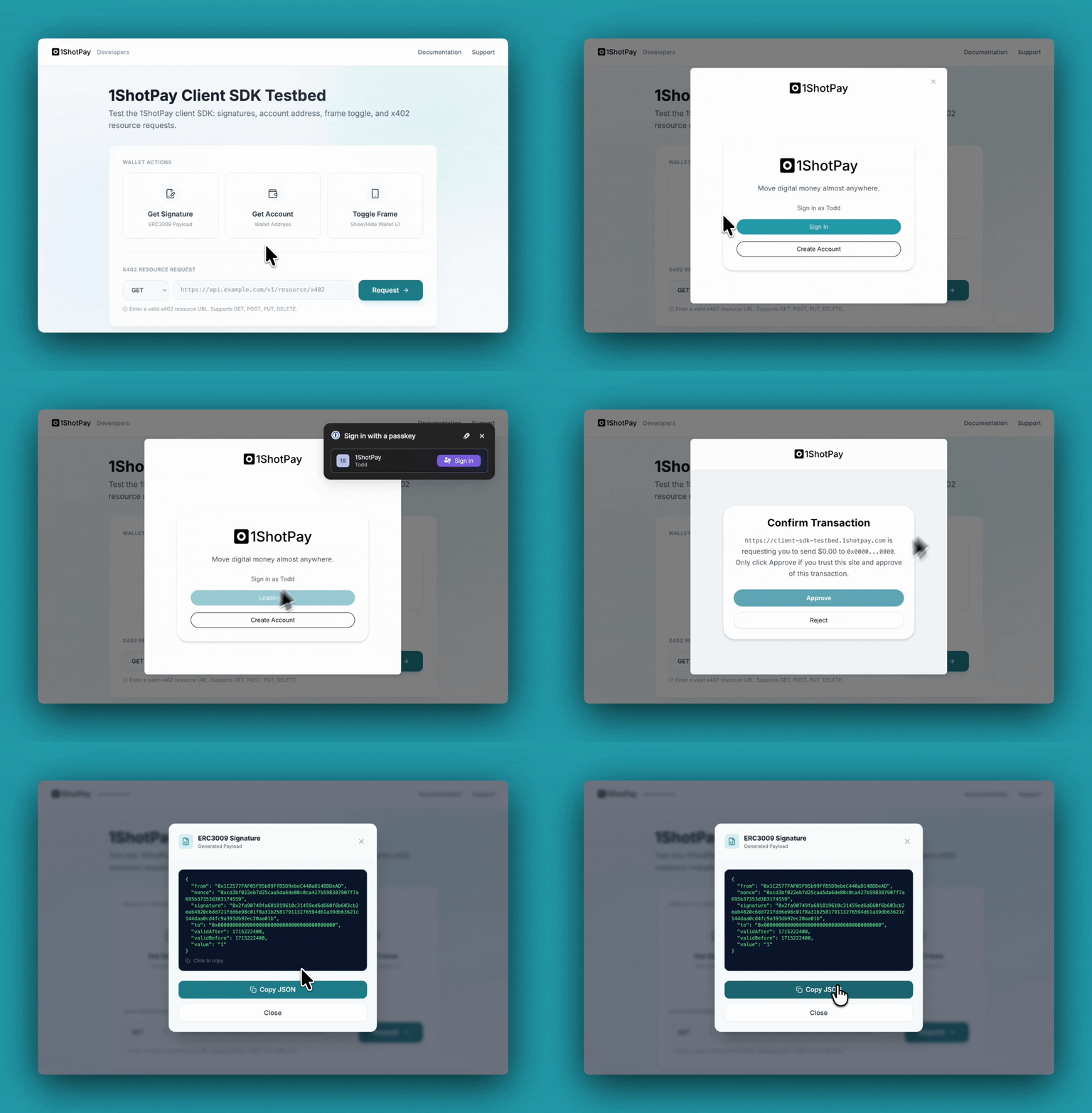
The client SDK lets you embed the 1ShotPay stablecoin wallet in your site via an iframe. When a user clicks a button (for example, “Pay with 1ShotPay”), a card opens and gives them the choice to approve or reject the payment—all without leaving your page.
There are two key payments types:
Transfer with Authorization: The 1ShotPay wallet returns a signed EIP-3009 payload to the caller for relaying to the Base network.
x402 Fetch: The caller can request a call to an x402-compatible API endpoint in which the 1ShotPay wallet will handle calling the endpoint from the iframe context.
Install#
yarn add @1shotapi/1shotpay-client-sdk @1shotapi/1shotpay-common
Import shared types (e.g. BigNumberString, ELocale, EVMAccountAddress, UnixTimestamp) from @1shotapi/1shotpay-common when you need them.
Quick start#
import { OneShotPayClient } from "@1shotapi/1shotpay-client-sdk";
import {
  BigNumberString,
  ELocale,
  EVMAccountAddress,
  UnixTimestamp,
} from "@1shotapi/1shotpay-common";

const wallet = new OneShotPayClient();

await wallet.initialize("Wallet", [], ELocale.English).match(
  () => undefined,
  (err) => {
    throw err;
  },
);

wallet.show();
wallet.hide();

const result = await wallet
  .getERC3009Signature(
    "Some recipient",
    EVMAccountAddress("0x..."),
    BigNumberString("1"),
    UnixTimestamp(1715222400),
    UnixTimestamp(1715222400),
  )
  .match(
    (ok) => ok,
    (err) => {
      throw err;
    },
  );
API overview#
OneShotPayClient is the main class. Key methods:
Lifecycle:
initialize(),getStatus()Auth:
signIn(),signOut()Account:
getAccountAddress()Signatures:
getERC3009Signature(),getPermitSignature()HTTP:
x402Fetch()Visibility:
show(),hide(),getVisible()
Visibility#
show()/hide()control the iframe modal (the payment card).getVisible()returns whether the modal is currently shown.
Use show() when the user clicks your “Pay with 1ShotPay” (or similar) button; use hide() when closing the UI or after the flow completes.
Iframe events#
Listen for these events from the embedded iframe:
closeFrame— The user closed the UI.registrationRequired— Open the registration URL in a new tab so the user can sign up for 1ShotPay.
See also#
Testbed: Try the embedded 1ShotPay functionality at the client SDK testbed.
Example app: See client-side checkout in the 402xPress demo.